All guides
Make a carousel
Make a set of slides people swipe through on Instagram, Facebook or LinkedIn. You give a topic; SlideoClip plans a cover, one point per slide and a call to action, and you can read and edit every slide before you spend anything.
Before you start
- ✓A brand set up (see Add your business)
- ✓Credits — each slide costs the same as a poster of the same quality
1. Open the carousel maker
On Creatives, tap the Carousel card under Or start from, or type your topic in the top box, tap Carousel under Make it as, then Create carousel.
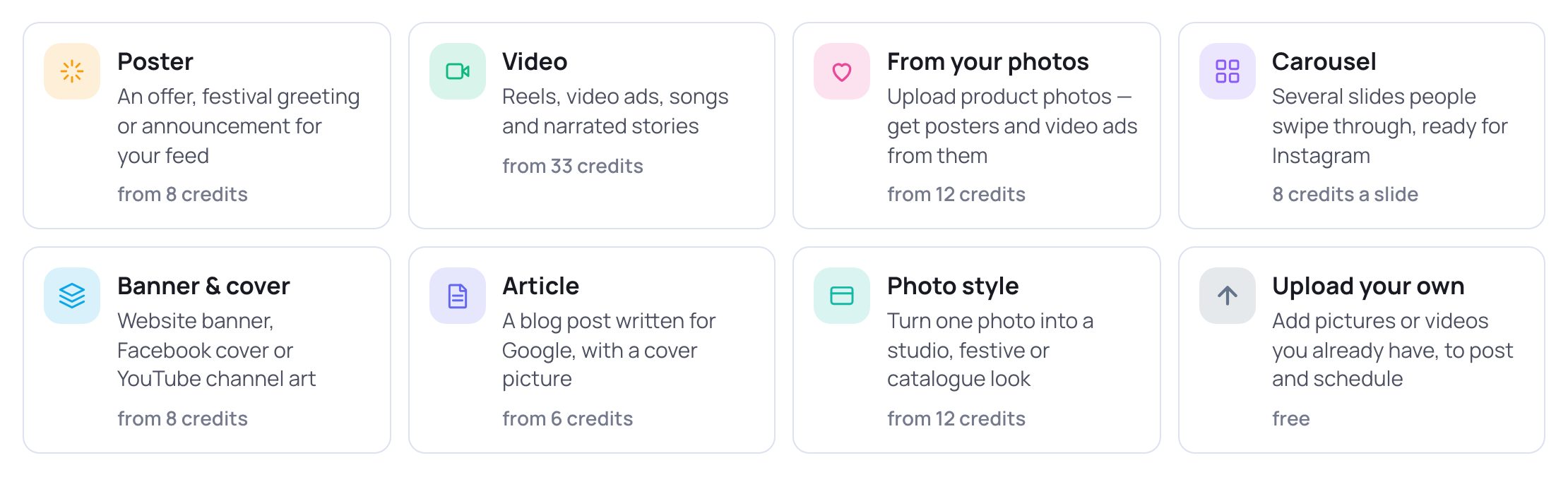
- 1Tap Carousel — "Several slides people swipe through, ready for Instagram".
2. What is it about?
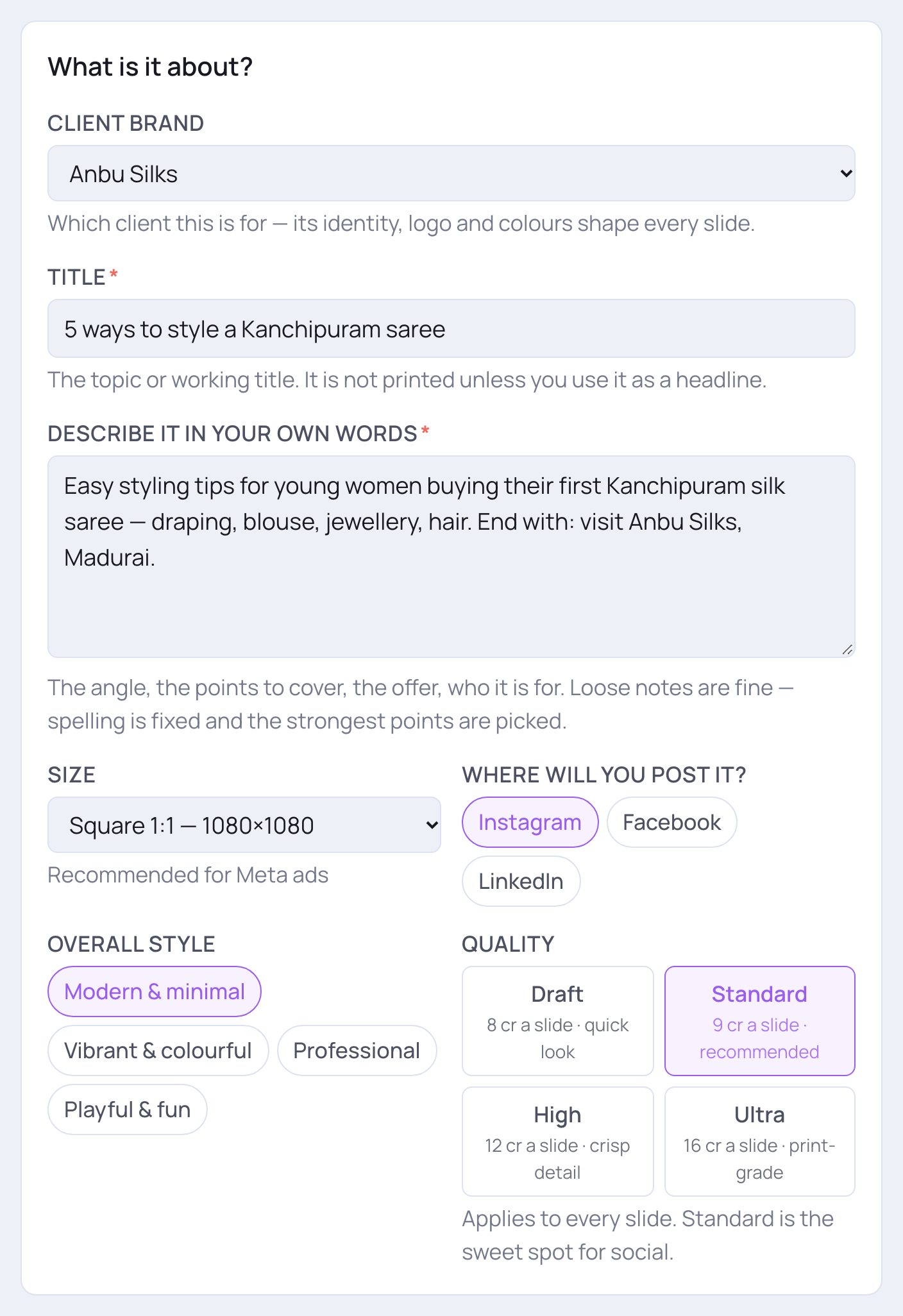
- 1Client brand: which client the carousel is for. Its logo, colours and style shape every slide.
- 2Title *: the topic or a working title. It is not printed unless it is used as a headline.
- 3Describe it in your own words *: the angle, the points to cover, the offer, who it's for. Rough notes are fine — spelling is fixed and the strongest points are picked.
- 4Size: Square 1:1 (recommended for Meta ads), Portrait 4:5 (fills more of the feed), Tall 9:16 (Stories) or Custom to type the pixels.
- 1Where will you post it?: Instagram (swipe post), Facebook (photo album or ad) or LinkedIn (document post).
- 2Overall style: Modern & minimal, Vibrant & colourful, Professional or Playful & fun.
- 3Quality applies to every slide. Each button shows its credits per slide. Standard is the sweet spot for social; Draft is cheaper for a quick look; High and Ultra add fine detail.
3. How should it look?
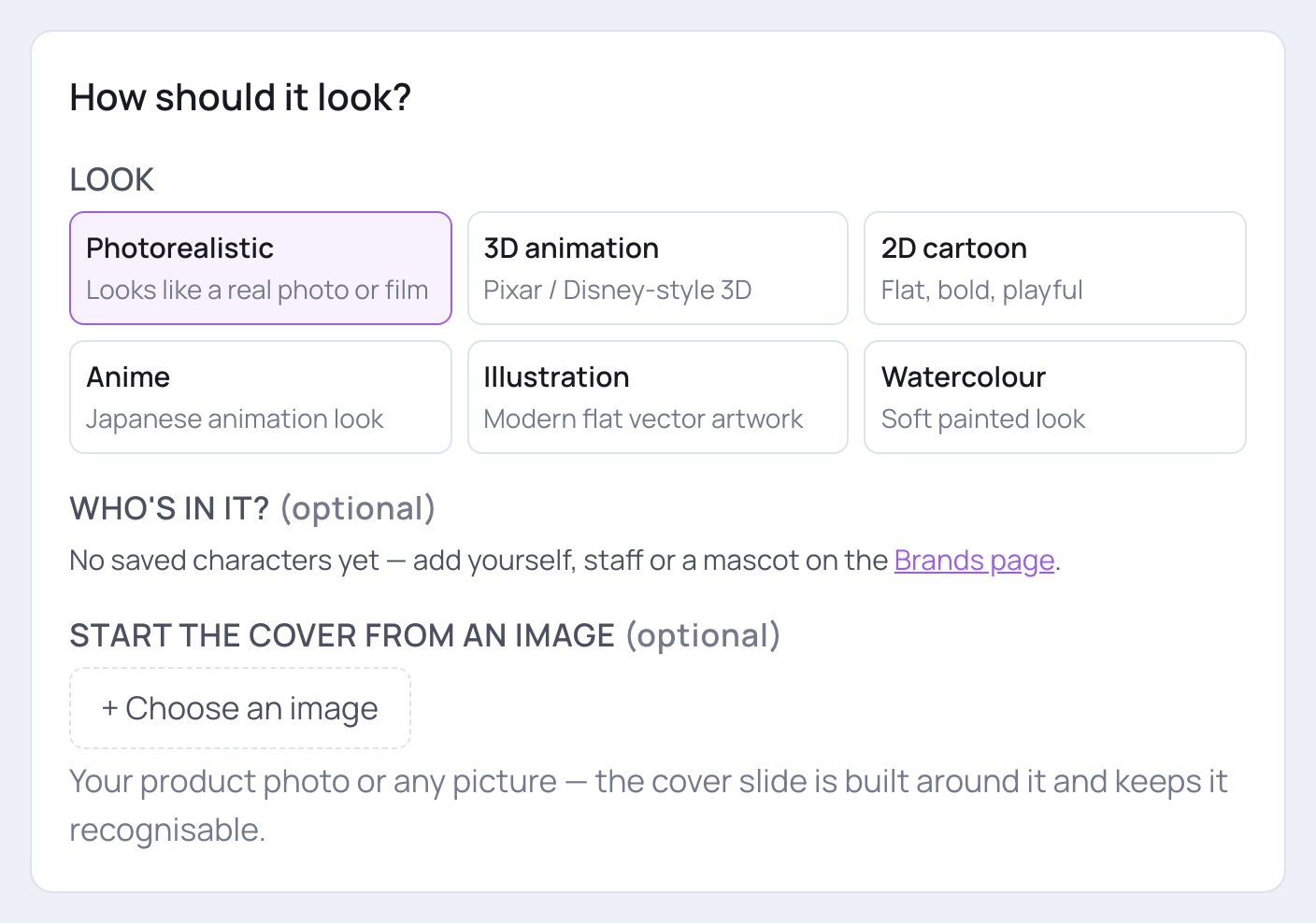
- 1Look: Photorealistic, 3D animation, 2D cartoon, Anime, Illustration or Watercolour.
- 2Who's in it? (optional): tick saved people to show them with their real face on the slides.
- 3Start the cover from an image (optional): tap + Choose an image to build the cover slide around your product photo. It adds a few credits, shown in the cost. Tap Remove to take it off.
4. The slides
Here you decide how many slides and, if you like, read every slide before you spend anything.
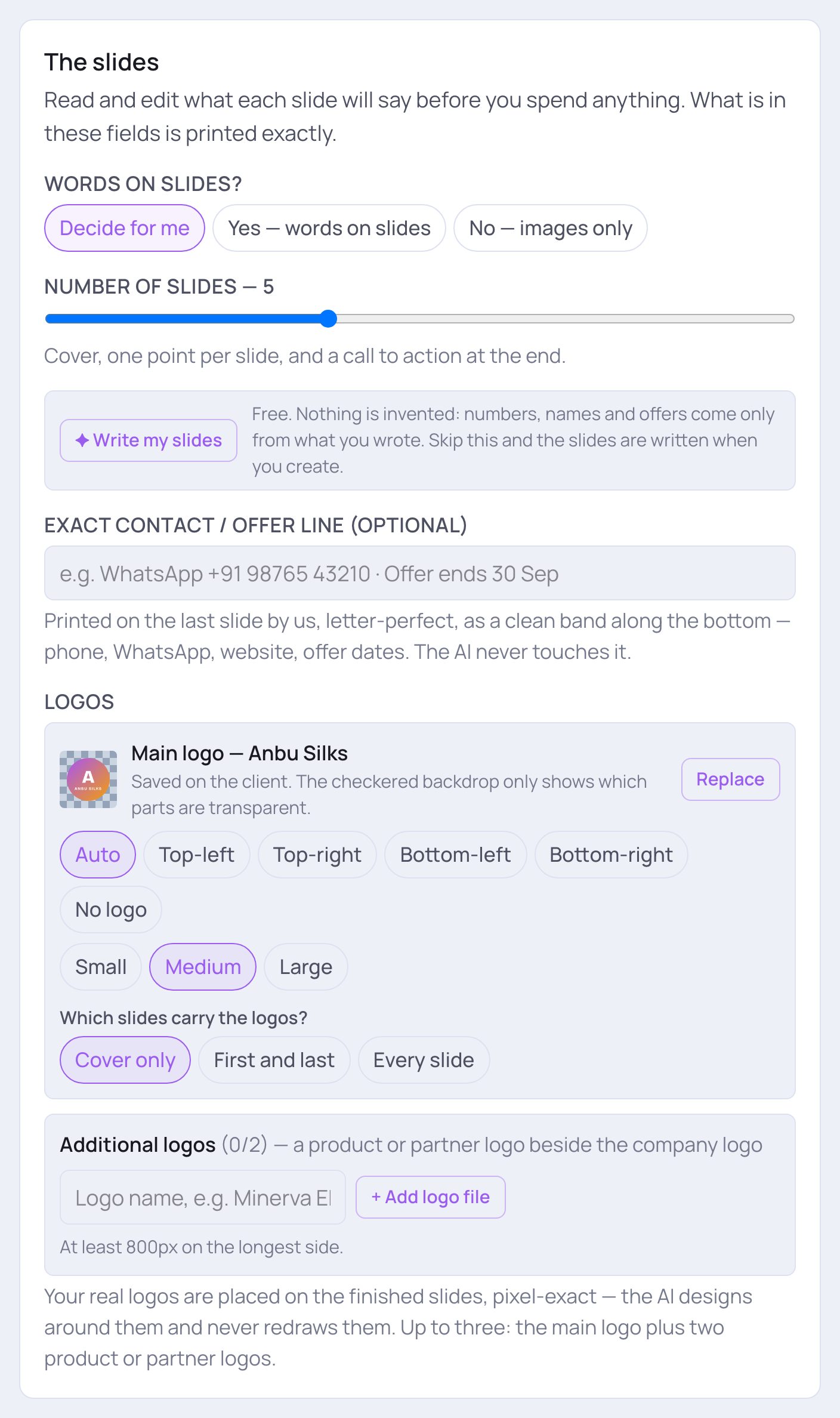
- 1Words on slides?: Decide for me, Yes — words on slides, or No — images only.
- 2Number of slides: slide from 2 to 10. You get a cover, one point per slide and a call to action at the end.
- 3Tap ✦ Write my slides (free) to see the plan for each slide before you pay. Nothing is invented: numbers, names and offers come only from what you wrote. If you skip this, the slides are written when you create.
- 4Exact contact / offer line (optional): your WhatsApp number, website or offer dates. It is printed letter-perfect on the last slide.
💡 After the slides are written, each slide gets its own box — Cover, Point or Call to action — with Label above the headline, Headline, Second line, Points (one per line) and What the image shows (not printed). Use ↑ and ↓ to move a slide, Remove to drop one, and + Add a slide before the call to action to add one. ↻ Write them again starts over; Clear and let it decide removes your plan. If a box under Before you publish appears, read its advice.
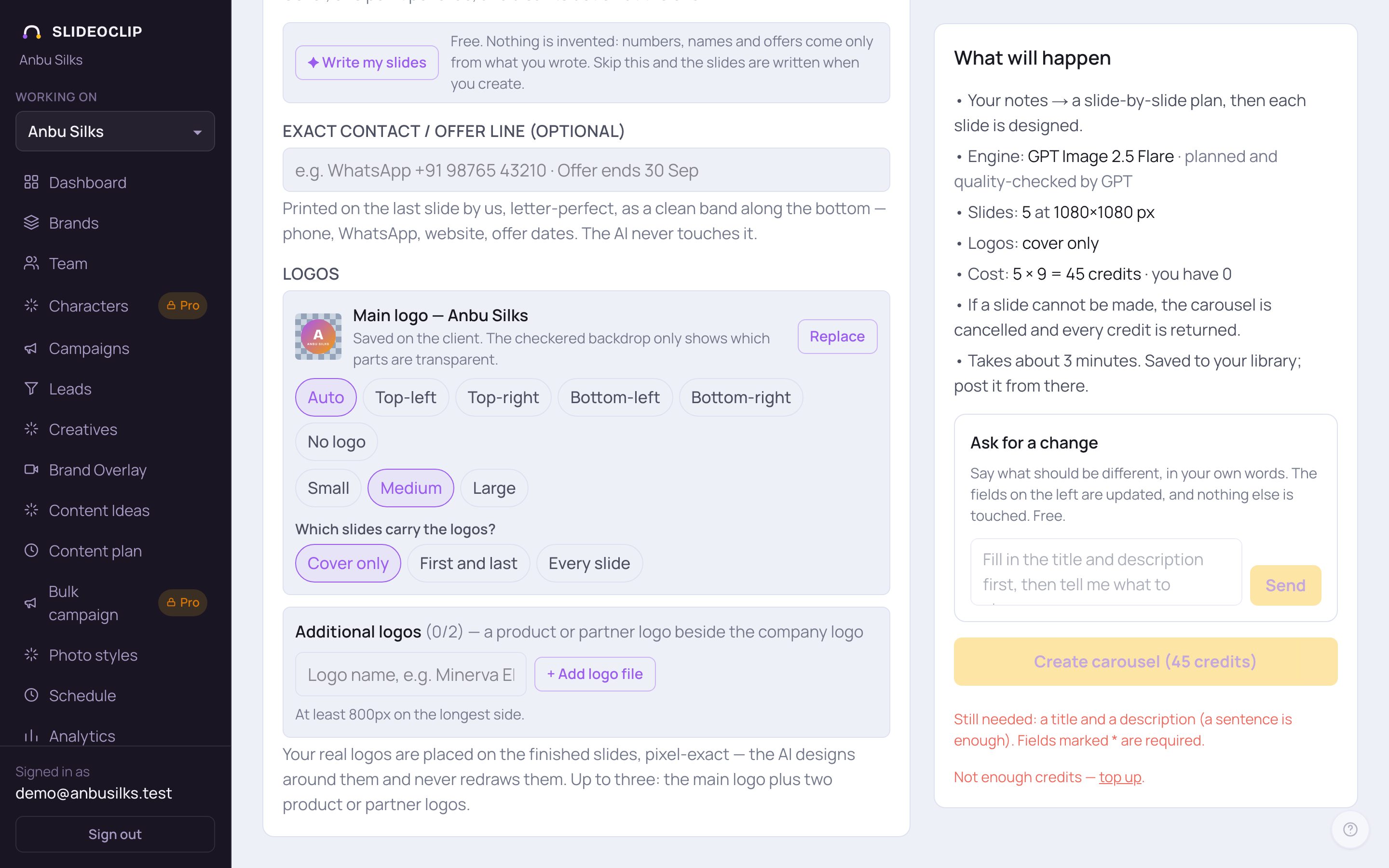
- 1Logos: your client's real logo is placed on the finished slides exactly as it is. Choose its corner and size, or No logo. You can add up to two more logos under Additional logos.
- 2Which slides carry the logos?
- 3Pick Cover only, First and last, or Every slide.
5. Check the cost and create
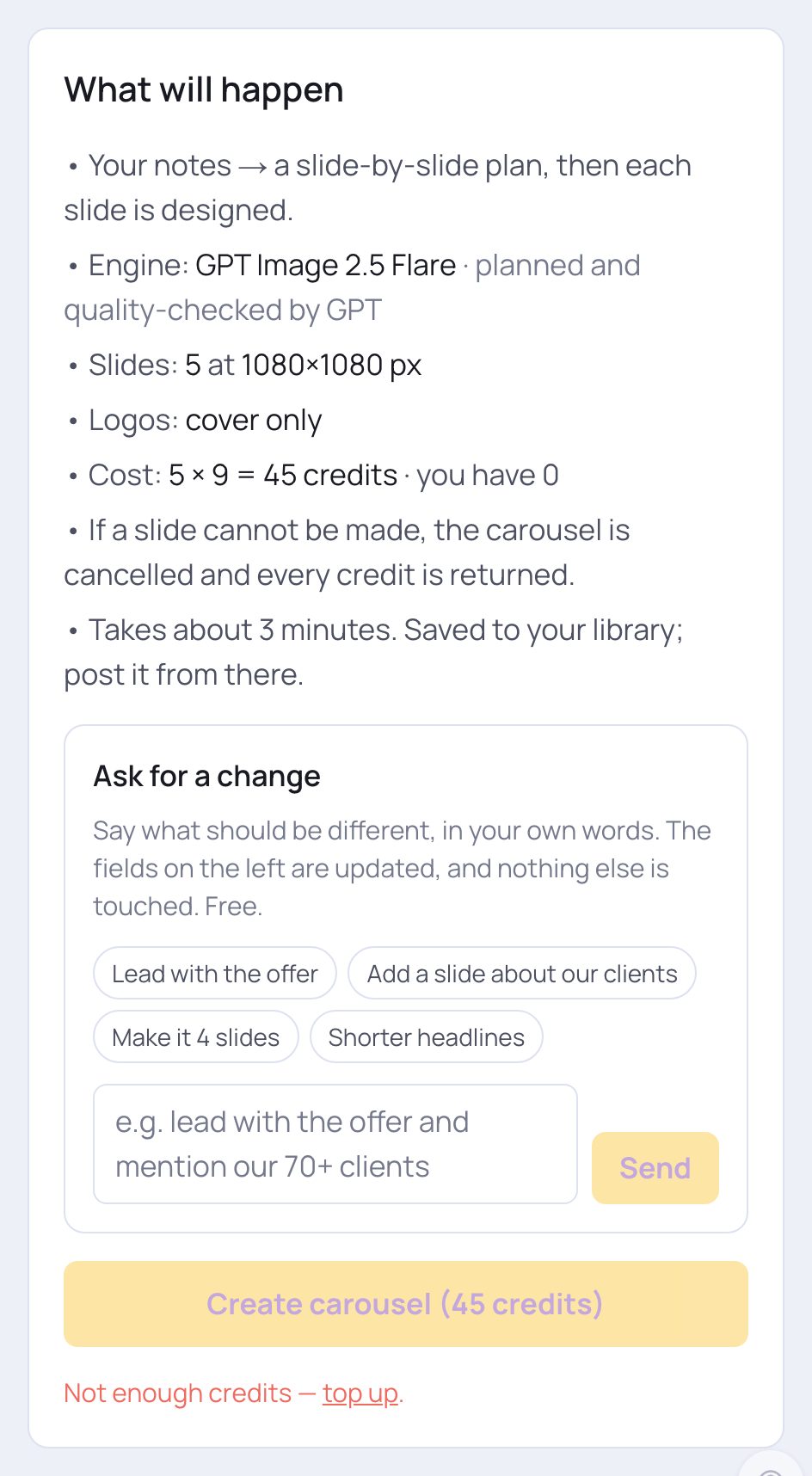
- 1What will happen shows the number of slides, the size, which slides get the logo, and the Cost: slides × credits per slide (plus your photo, if you added one).
- 2Ask for a change (free): say what to change, like "Lead with the offer", "Make it 4 slides" or "Shorter headlines". The slide plan on the left is updated; Undo last change puts it back.
- 3Tap Create carousel — the credits are on the button. Slides are made one by one, about half a minute each. Keep the page open.
💡 If one slide can't be made, the whole carousel is cancelled and every credit is returned.
6. When it's ready
Your carousel appears on the right with each slide numbered and a quality check under each. It is already saved in your library — tap Open in library to publish → to post or schedule it. If you want to change some words, edit the slide boxes on the left and create again.
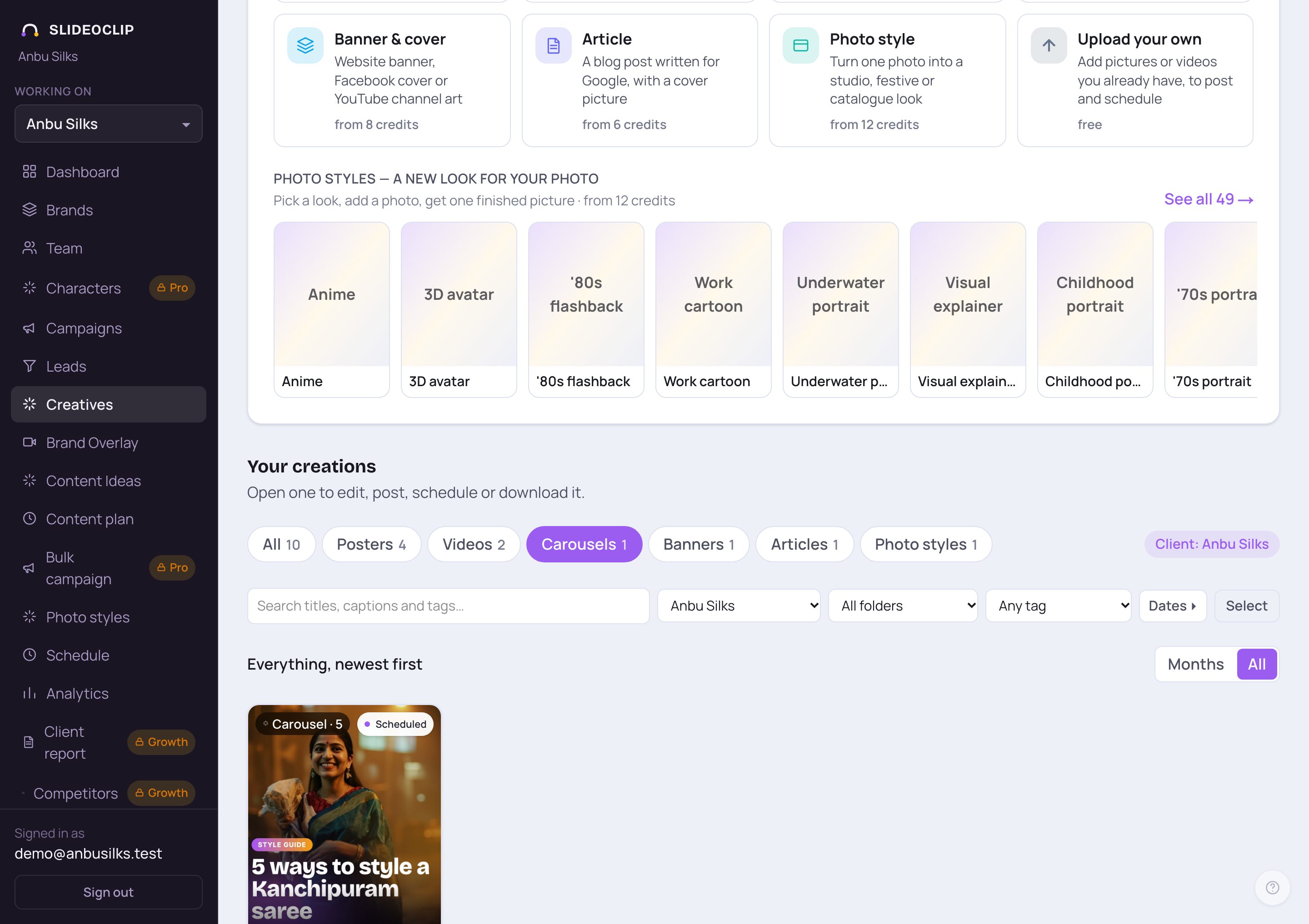
- 1In Your creations, tap Carousels to see only carousels.
- 2Tap one to open it, then post it now or schedule it.
Good to know
- Write one clear idea per slide in your description — "draping, blouse, jewellery, hair" becomes four point slides.
- Always tap ✦ Write my slides first. It's free, and you can fix every word before paying.
- Use Square 1:1 if you may run the carousel as a Meta ad later.
Questions
How much does a carousel cost?
Each slide costs what a poster of the same quality costs, plus a little more if you start the cover from your own image. The total is shown on the Create carousel button.
How many slides can I have?
From 2 to 10.
Can I change the words after it's made?
Edit the slide boxes on the left and create the carousel again. The new one uses credits again.