All guides
Use the growth checklist
A short list of settings and habits on Instagram, Facebook, LinkedIn and YouTube that help your posts reach more people. Tick each one off as you do it, with step-by-step help for every item.
1. Open the checklist
Tap Growth checklist in the menu. There is one card for each platform, and a bar at the top shows how much you've done.
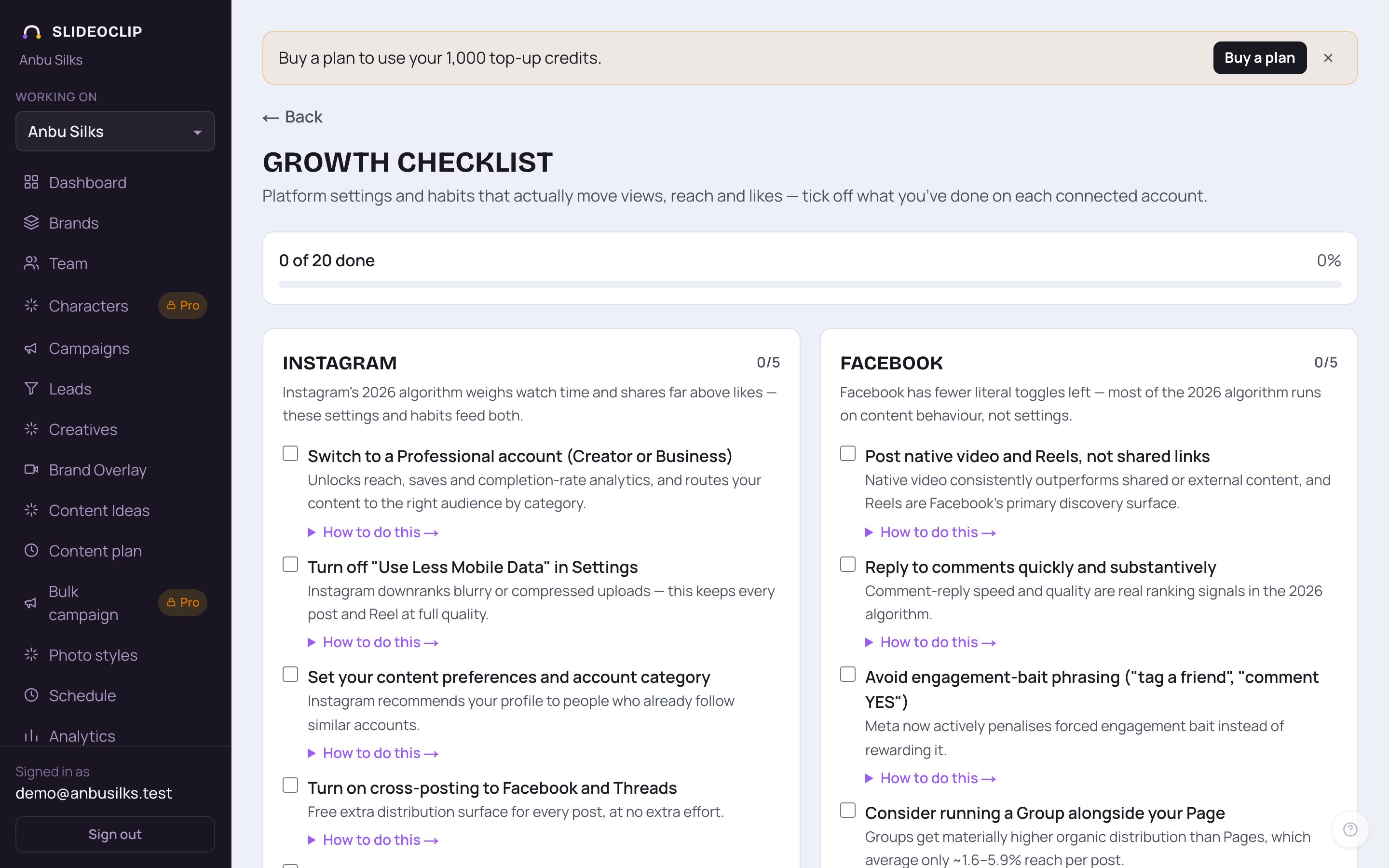
- 1The bar shows how many items you've ticked off out of all of them, and the percentage.
- 2Each platform has its own card: Instagram, Facebook, LinkedIn and YouTube, with a short note on what that platform rewards and a count of done items.
- 3Each item has a tick box, what to do in bold, and one line on why it helps.
- 4Tap How to do this → for the exact steps inside that app.
2. Go through each platform
Work down one card at a time. Facebook sits next to Instagram; LinkedIn and YouTube are further down.
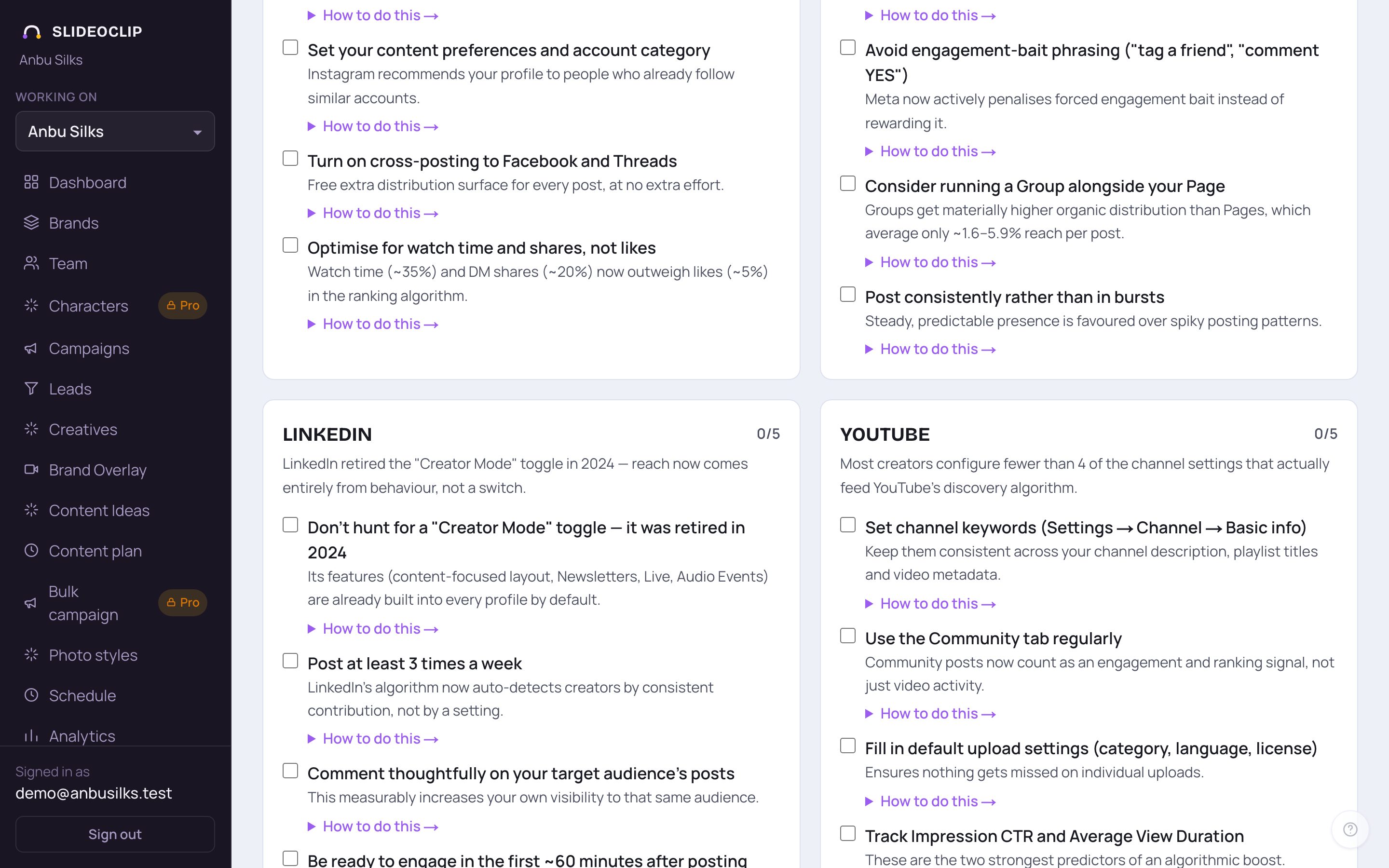
- 1LinkedIn: reach comes from what you do, not from a setting. The card explains there is no Creator Mode switch to look for any more.
- 2Habits count as items too, like Post at least 3 times a week. Tick it when it has become your routine.
- 3YouTube: channel settings that help your videos get found, such as channel keywords and default upload settings.
- 4Some items are about numbers to keep an eye on in YouTube itself, like Track Impression CTR and Average View Duration. How to do this → shows where to find them.
3. Do an item and tick it off
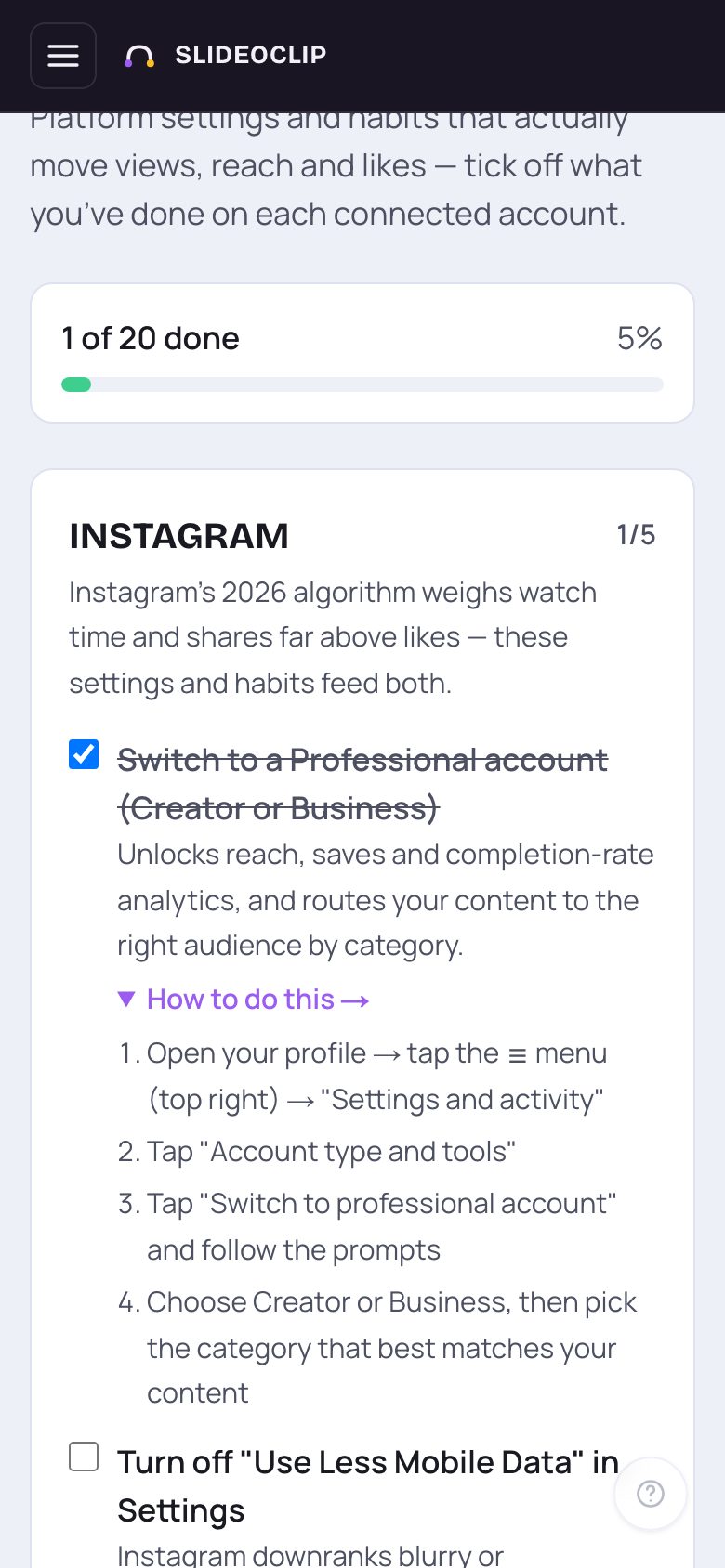
- 1Follow the numbered steps in the app itself (here, Instagram). Tap How to do this → again to close them.
- 2When it's done, tap the tick box.
- 3The item is crossed out, and the count at the top of the page and on the card goes up.
- Tap the box again to untick an item.
💡 Your ticks are saved on this phone or computer only. On another device the list starts empty.
Good to know
- Start with the account you post to most. Many items take under a minute.
- The platforms change these rules often; the page suggests checking again every few months.
- This page shows advice for every platform, whether or not that account is connected to SlideoClip.
- A steady plan of posts helps on every platform. Use the content plan to fill your calendar.
Questions
Does SlideoClip change these settings for me?
No. These are settings and habits in each platform's own app. The checklist tells you what to do and where; you do it there.
Why did my ticks disappear?
They are kept on the device and browser where you ticked them. Clearing the browser's data, or opening the page on another device, starts the list fresh.
Where does this advice come from?
From each platform's own public guidance on how it shows posts to people.