All guides
Get enquiries with Meta lead ads
Run an ad that collects enquiries through a short form inside Instagram and Facebook. SlideoClip asks a few questions about your business, builds the form in English, Tamil or Hindi, and every enquiry lands in your Leads inbox with a WhatsApp reply ready.
Before you start
- ✓A ready poster or video with its client set
- ✓The client's Facebook Page and a Meta Ads account connected (see Connect your accounts)
- ✓The basics of Promote (see Promote a post as a Meta ad)
1. Choose the form inside Instagram/Facebook
Open Promote on a poster or video (see Promote a post as a Meta ad). Keep the goal on Get leads.
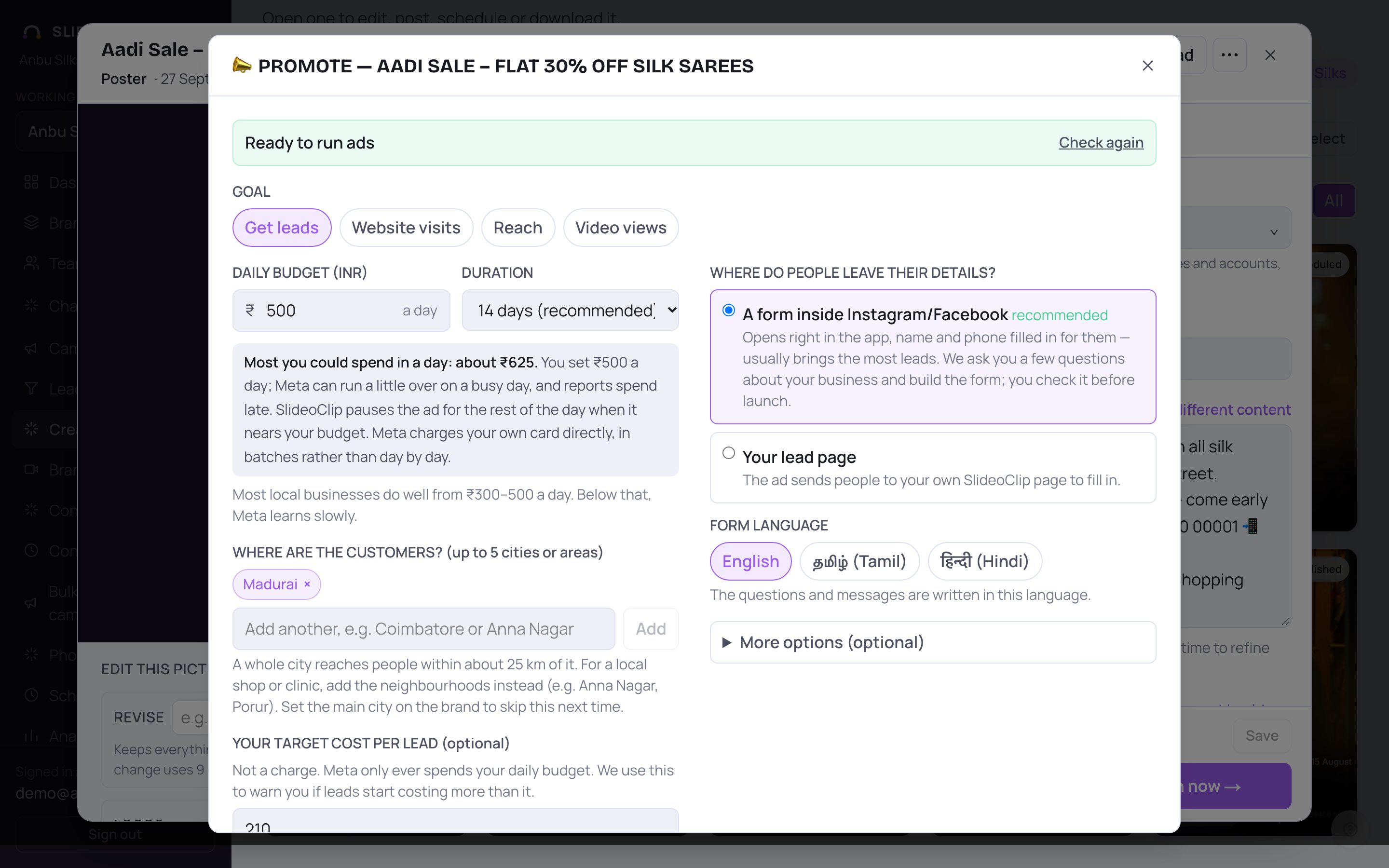
- 1Make sure Get leads is selected.
- 2Keep A form inside Instagram/Facebook (recommended). The form opens right inside the app, with the person's name and phone already filled in, so it usually brings the most enquiries.
- 3Or choose Your lead page to send people to your own SlideoClip page instead. You need a live lead page for this client first (Leads → Your lead page).
- 4Under FORM LANGUAGE, pick English, தமிழ் (Tamil) or हिन्दी (Hindi). The form's questions and messages are written in that language.
💡 If a yellow box says One step at Meta first, someone who manages the Facebook Page must accept Meta's lead ads terms once. See Fix lead setup problems.
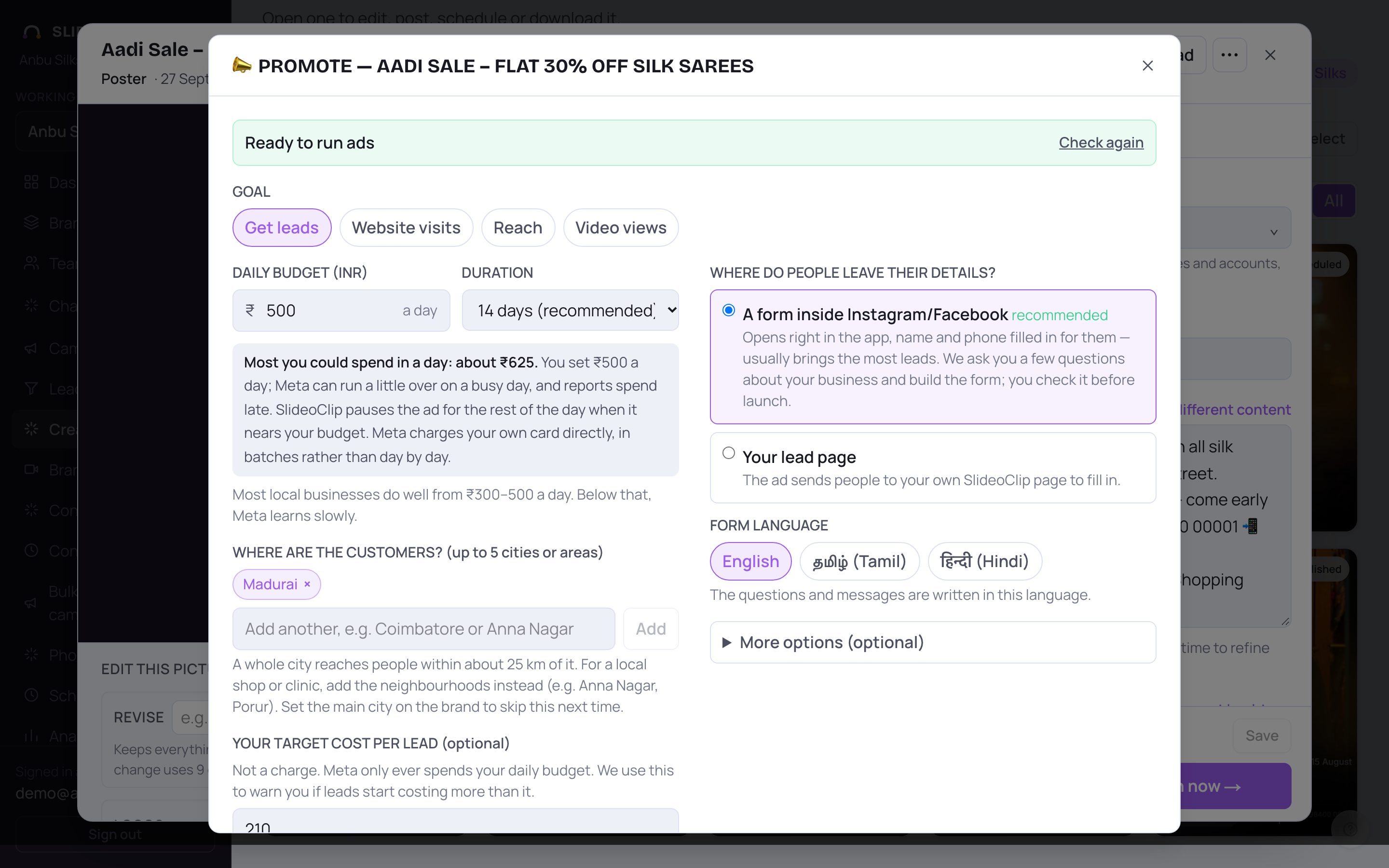
- 1Set the DAILY BUDGET. A useful budget is about twice what you'd pay for one lead; for most local businesses that is ₹300–500 a day.
- 2Keep 14 days (recommended) under DURATION. Meta needs about a week to learn who responds.
- 3Check YOUR TARGET COST PER LEAD. It's not a charge. From day 3, SlideoClip watches the ad against this figure and tells you when leads cost too much or when the ad deserves more budget.
- Just testing? ₹100 a day works for a test, but Meta learns slowly at that level, so give it the full week before judging.
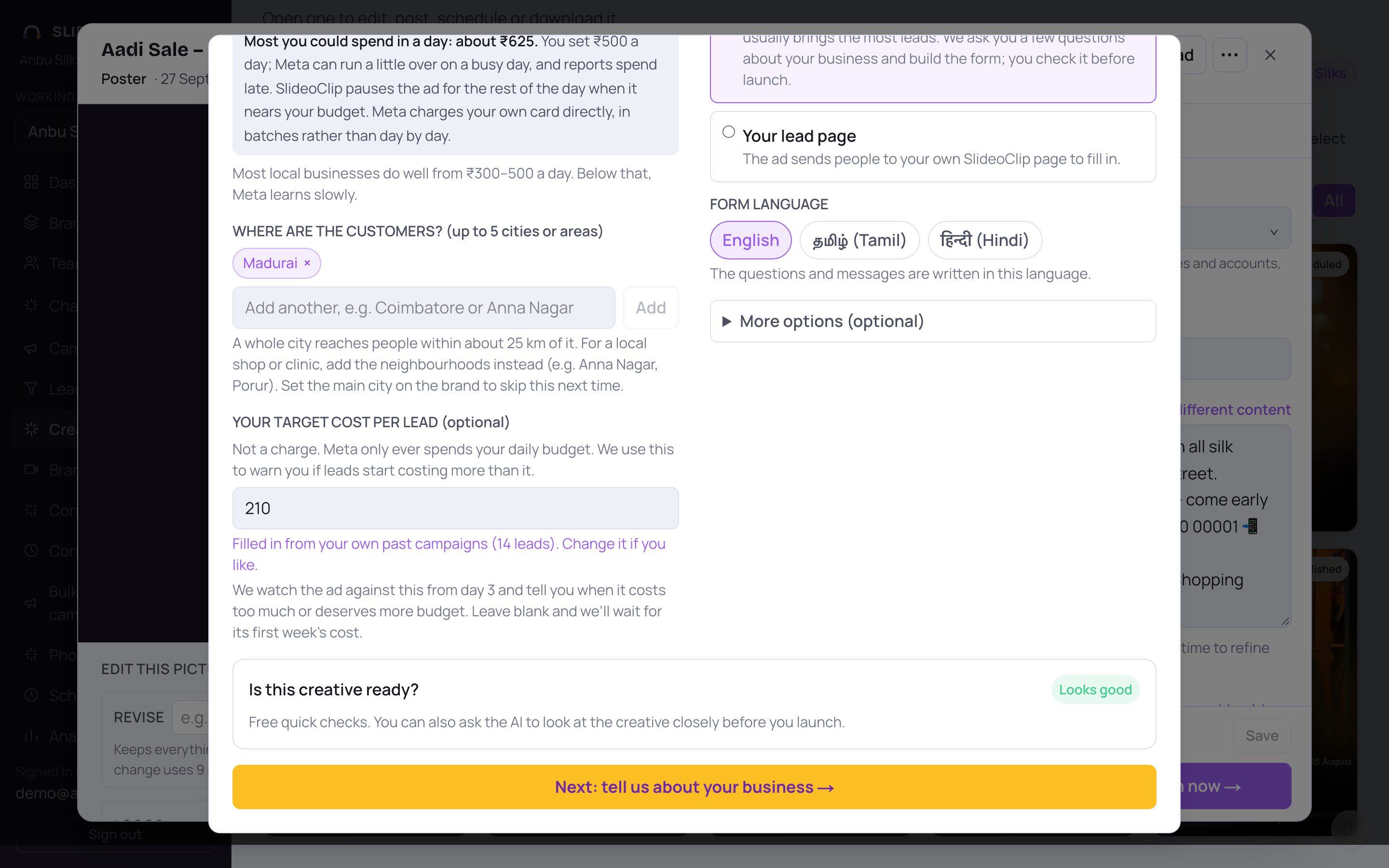
- 1Look over Is this creative ready?. These checks are free. Fix anything marked ! before you spend money, or carry on if you're happy.
- 2Tap Next: tell us about your business →.
2. Answer a few questions about your business
SlideoClip guesses what kind of business this is and asks three to five plain questions. Your answers decide what the form asks, so the enquiries you get are the ones you want. You never need to open Meta. Check YOUR KIND OF BUSINESS (for example Orders and product enquiries for a shop, or Appointments for a clinic) and change it if the guess is wrong. Answer each question in your own words, or tap a suggestion to add it; answer at least one. Then tap Build my form and campaign →: the AI writes the ad text, picks the audience and builds the lead form. Your answers are saved for this client, so next time you see Your answers from last time (tap My business has changed — ask me fresh questions if things have changed).
3. Check the form before it goes to Meta
Next to the plan you see Your Instagram/Facebook lead form, ready to edit. Meta doesn't allow a form to be changed after it is published, so this is the moment to get it right. Here is what each part means.
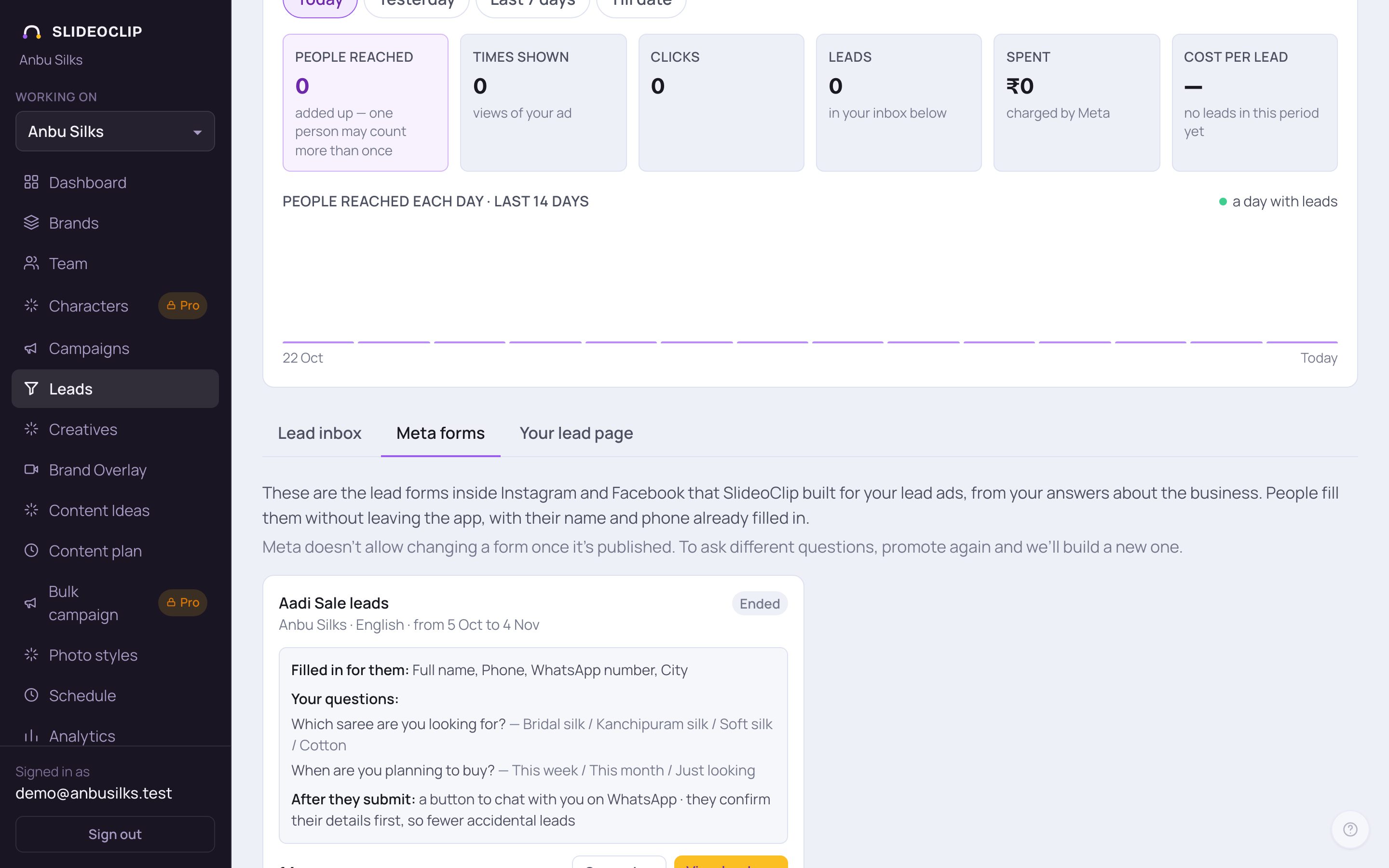
- 1Filled in for them lists what the person does not have to type. Name and phone are always asked and fill in by themselves from the person's profile; you can also ask for a WhatsApp number, Email and City.
- 2Your questions help you decide who to call first, for example "When do you want to visit?". 1–2 questions work best, and choices are quicker to answer than typing.
- 3After they submit is what the person sees next: a button to chat with you on WhatsApp (it needs a phone number on the brand), a button to call you, a button to visit your website, or just a thank-you message.
- This picture is the Meta forms tab on the Leads page, where every form SlideoClip built for you is kept with its lead count. Before launch, the form on the Promote screen shows the same parts, ready to edit: use + Add a question or + Add a choice to add more, and choose the button under BUTTON ON THAT SCREEN: Chat on WhatsApp, Call us, Visit our website or No button.
💡 The form also has FIRST SCREEN — WHY FILL THIS IN? (a headline and up to 3 short points), Higher intent (recommended) (a check-your-details step that cuts accidental leads), Check the phone number by SMS (off by default; turn on if you get fake numbers) and a PRIVACY POLICY, which Meta requires. SlideoClip makes a simple privacy page for the business; tap Use my own link instead if you have one.
4. Create it paused, then go live
At the bottom of the form you see either ✓ The form looks ready for Meta. or a red box Fix before launching: with what to change. When it is ready, tap Create on Meta (paused) →. The ad, the form and the audience are made in your own Meta account, but nothing spends yet. You then see Meta's preview of the real ad and tap Go live → when you're happy, or Keep paused, review later. After Go live →, Promote offers to turn on lead alerts on your phone.
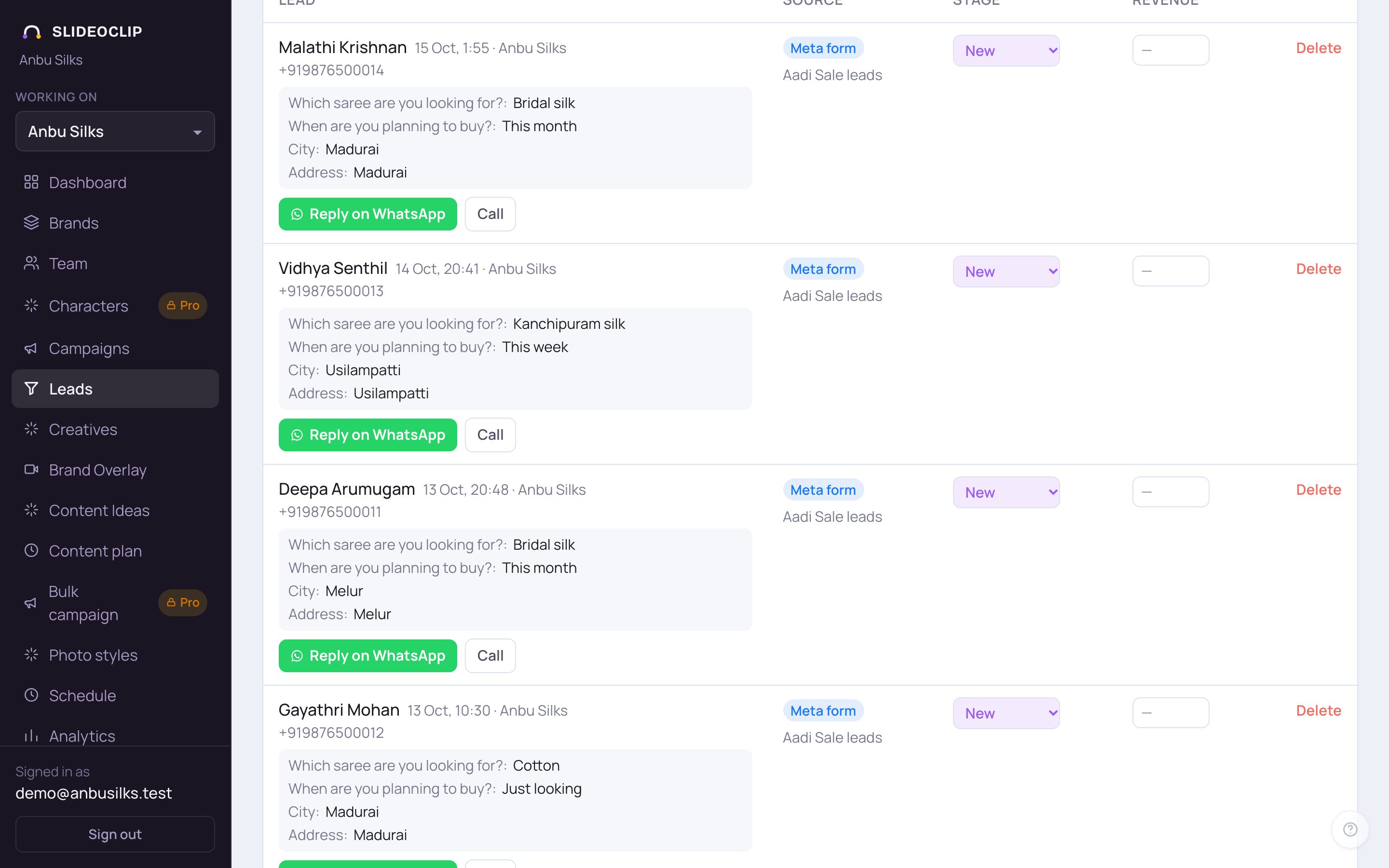
- 1When someone fills the form, the lead lands in Leads within seconds, with their answers to your questions.
- 2A first reply is already written in their language. Tap Reply on WhatsApp to check it and open it in your own WhatsApp; nothing is sent until you press send there.
- 3The Source column shows Meta form leads and the campaign they came from.
- You also get an email with the name, the answers and a reply button.
Good to know
- Reply within the hour if you can. The sooner you reply, the warmer the lead.
- Mark each lead's stage (Qualified, Booked, Won or Junk) in Leads. SlideoClip tells Meta which leads were good, and once there are enough, new campaigns ask Meta for more people like them.
- Meta deletes leads after 90 days. SlideoClip keeps every lead.
- Want different questions on a running ad? Meta doesn't allow changing a published form. Promote again and a new form is built.
Questions
Do leads cost credits?
No. Leads, the inbox, the reply drafts and the alerts are free, however many you get. The ad money itself is billed by Meta to your ad account.
Does the lead come to my WhatsApp?
The lead comes to your Leads inbox and by email. The WhatsApp button opens your own WhatsApp with the reply typed in, so you can send it in one tap.
Can the form be in Tamil?
Yes. Choose தமிழ் (Tamil) under FORM LANGUAGE before you build it. The reply drafts can be rewritten in English, Tamil or Hindi too.
How many lead ads can I run at once?
Your plan sets how many lead campaigns can run at the same time. If you reach it, the Start a Meta ad button explains what to do. See Plans and credits.
I think a lead is missing.
SlideoClip also checks Meta for missed leads every few minutes. On the campaign's card you can tap Think one is missing? Check Meta now. See Fix lead setup problems.