All guides
Find trending content ideas
See which video topics are trending right now, with the real YouTube videos behind each one, and turn an idea into your own video in one tap. You can also watch your own niche, like silk sarees or dental care.
1. See what's trending worldwide
Tap Content Ideas in the menu. The page opens on 🔥 Trending Worldwide: the top 50 trending ideas across a set of popular niches, from real YouTube data, refreshed every week. It's free and needs no setup.
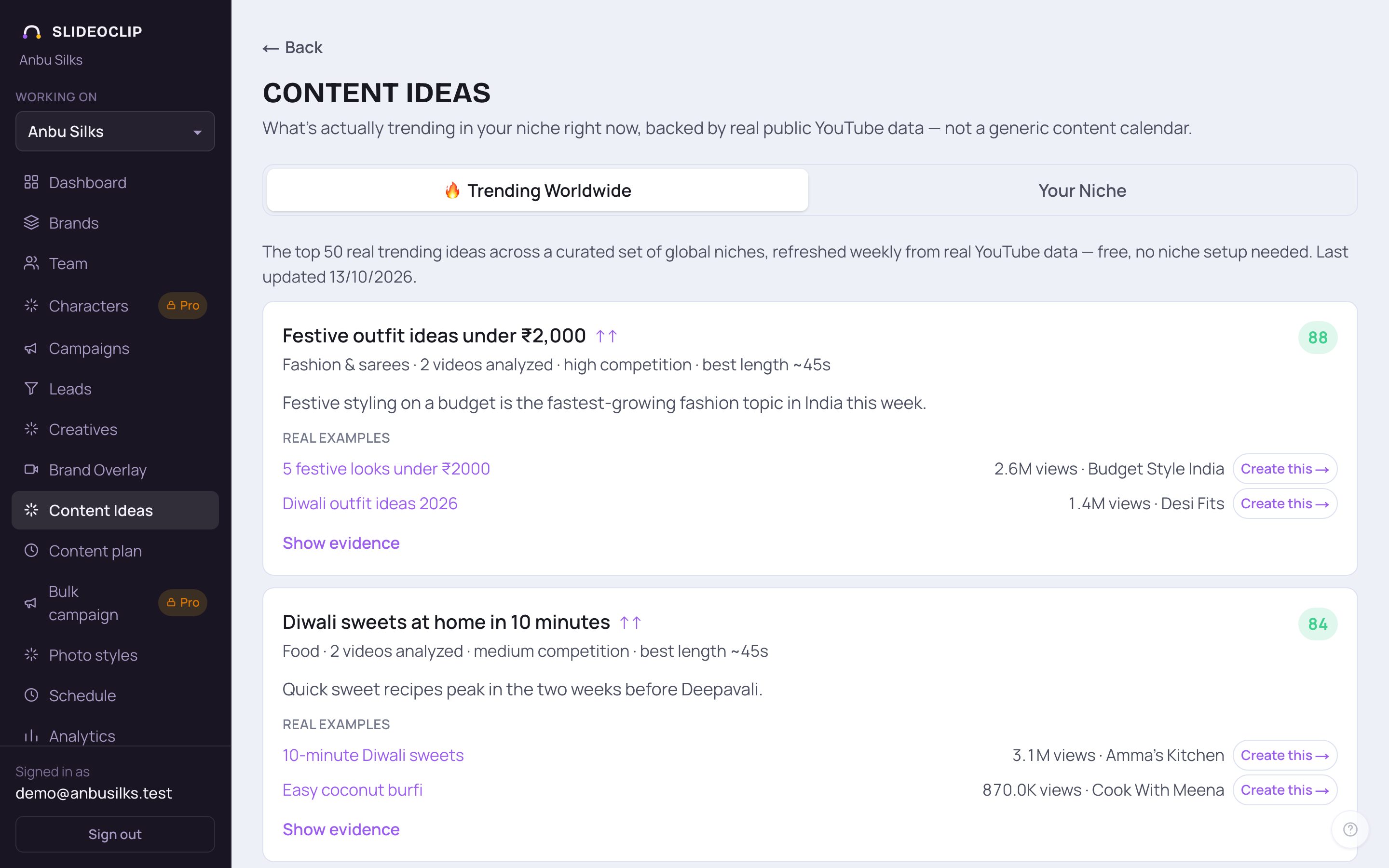
- 1🔥 Trending Worldwide shows trending ideas from many niches, best first. How to read a card is in the next picture.
- 2Your Niche shows trends just for your kind of business, once you set it up (see below).
- 3Real examples are the actual YouTube videos behind the idea, with their views and channel. Tap a title to watch it on YouTube.
- 4Tap Create this → next to an example to start your own original video with the same angle. The video maker opens with the idea filled in; nothing is made or charged until you go ahead there.
💡 We never copy the example video. The idea only gives your new video the same angle, written fresh for you.
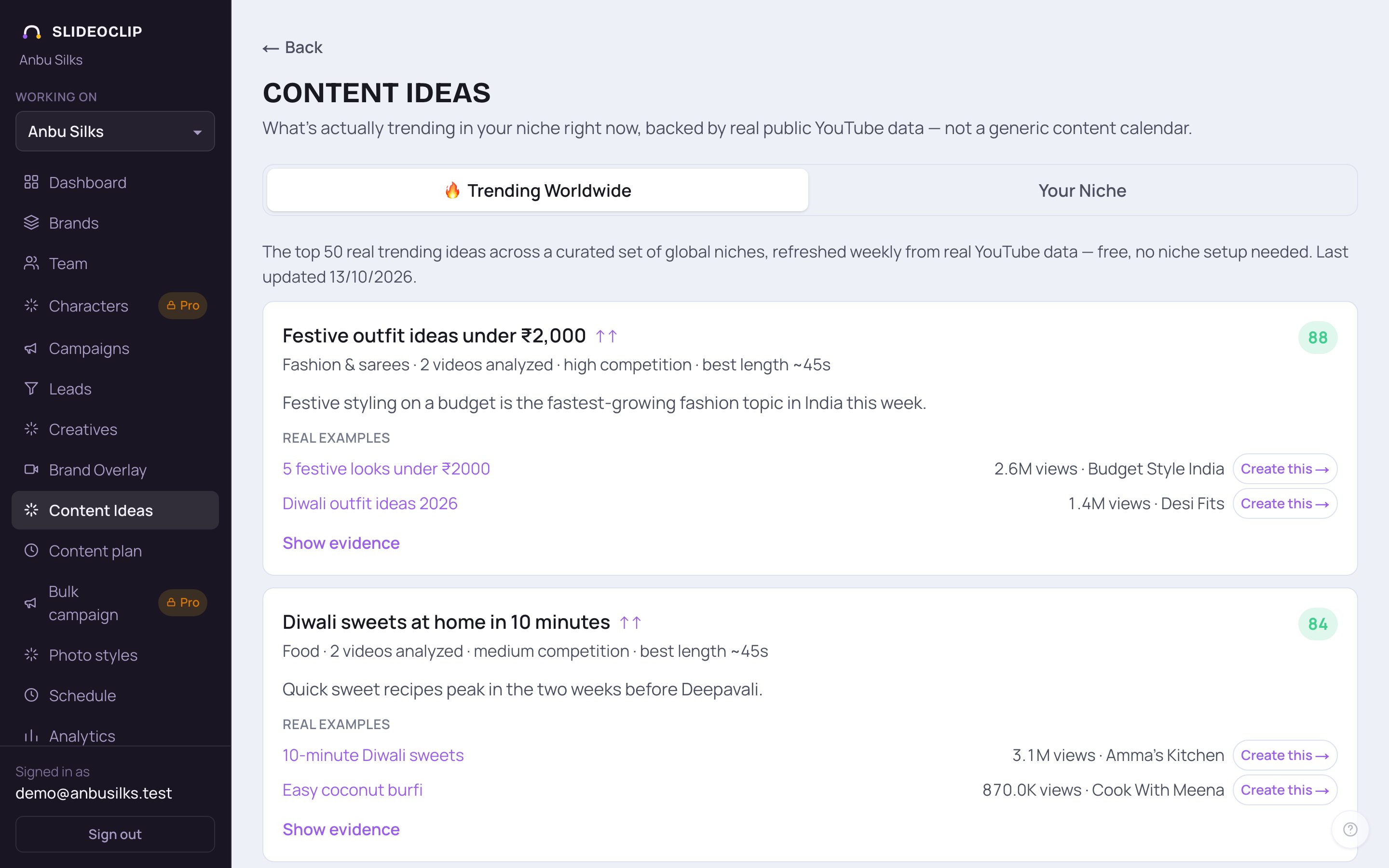
- 1The number is the idea's score out of 100. Green (70 and above) is strong, orange is fair, grey is weak. Next to the idea's name, the arrow says how it's moving: ↑↑ picking up fast, ↑ growing, → steady.
- 2The small line gives the niche, how many videos were looked at, how much competition there is (low, medium or high) and the best length for a video on this idea.
- 3Tap Show evidence to see the numbers behind the score (next picture).
- Under it, a sentence on why this idea is worth making now.
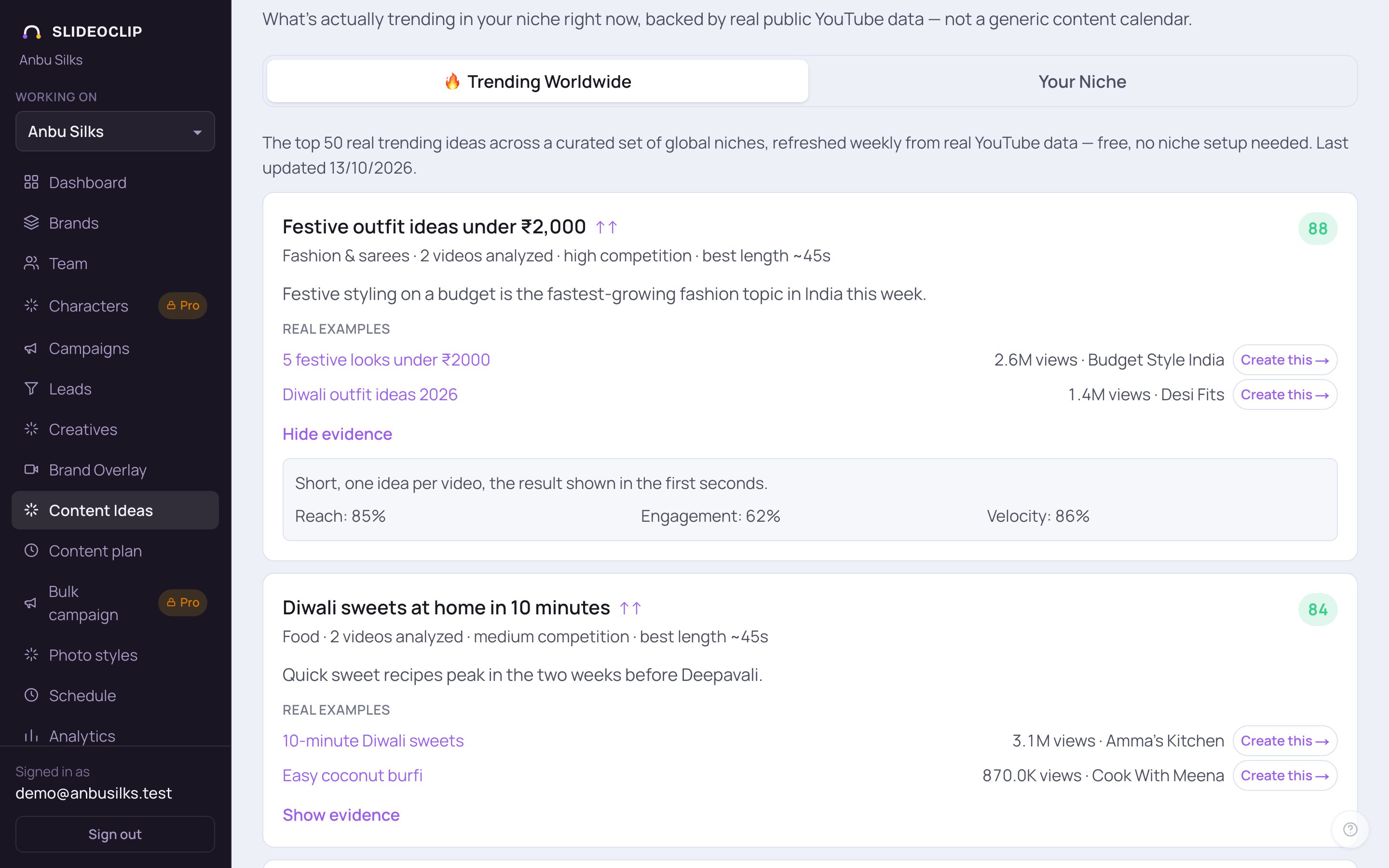
- 1Tap Show evidence on any idea to see why it scored as it did. Reach is how widely its videos are being seen.
- 2Engagement is how much people like and comment on them.
- 3Velocity is how fast they are picking up views. Higher percentages mean stronger.
- 4Above the numbers, a short note explains what the videos in this idea have in common. Tap Hide evidence to close it.
2. Watch your own niche
A niche is what SlideoClip watches for you: a few keywords and the countries you care about. Tap Your Niche. The first time, you'll see Set up your content niche: pick the client under Which client is this for? (SlideoClip suggests a niche for it) or tap one of the 🔥 Trending niches today, check the Niche name, Keywords and Region, and tap Start watching this niche. The first trends usually arrive within a couple of minutes.
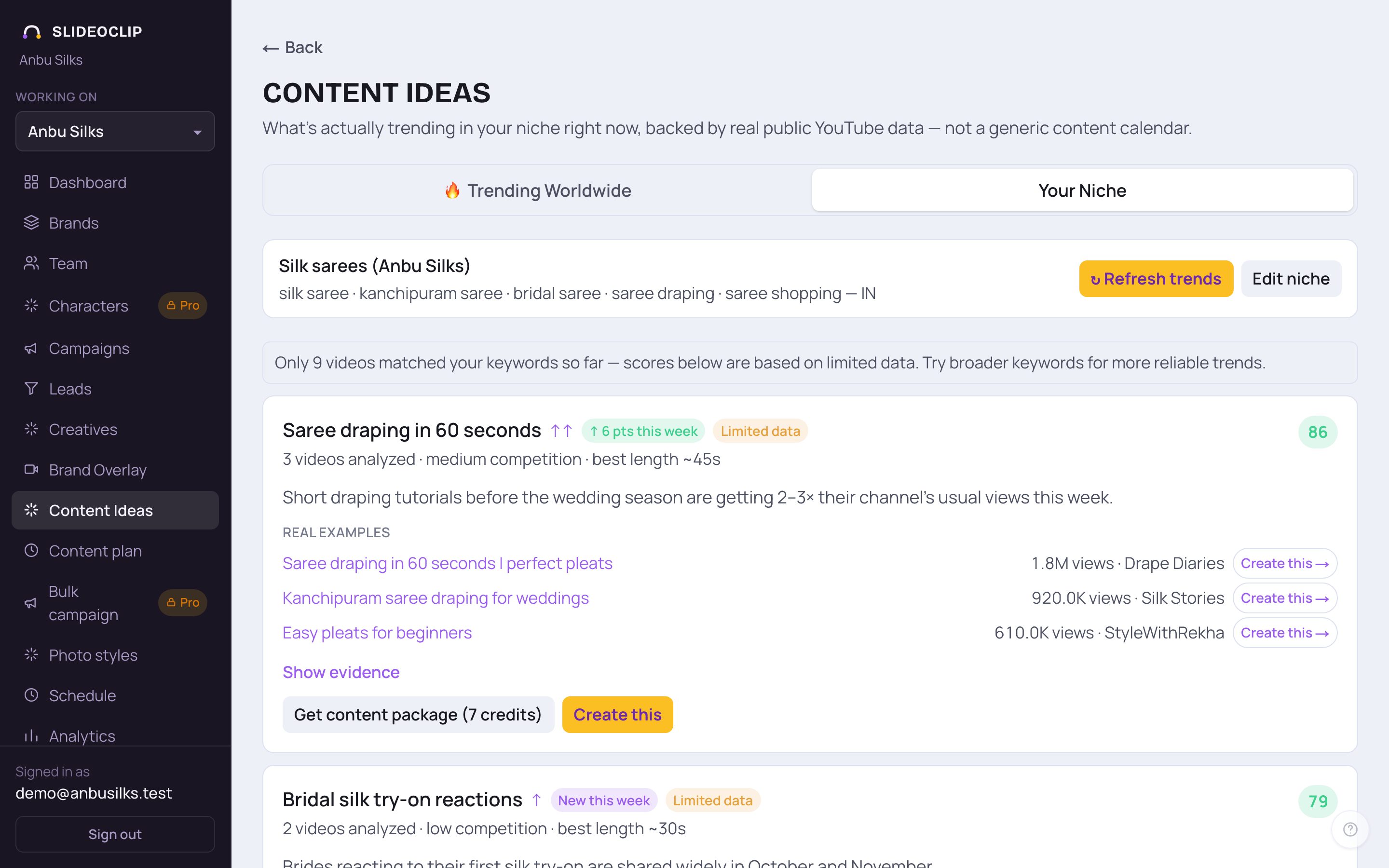
- 1At the top: your niche's name, keywords and countries. ↻ Refresh trends fetches the latest 30 days from YouTube and scores them again (about a minute). Trends only update when you tap it.
- 2Edit niche changes the keywords or countries (next picture).
- 3Get content package writes a ready script package for the idea. The credits are shown on the button; the package then shows under Show evidence.
- 4Create this opens the video maker with the idea filled in. Nothing is made or charged until you go ahead there.
- Each card works like the worldwide ones. New this week or ↑ 5 pts this week shows how the idea moved since last week; Limited data means only a few videos matched, so try broader keywords.
💡 The page shows the niche of the client picked in the top bar.
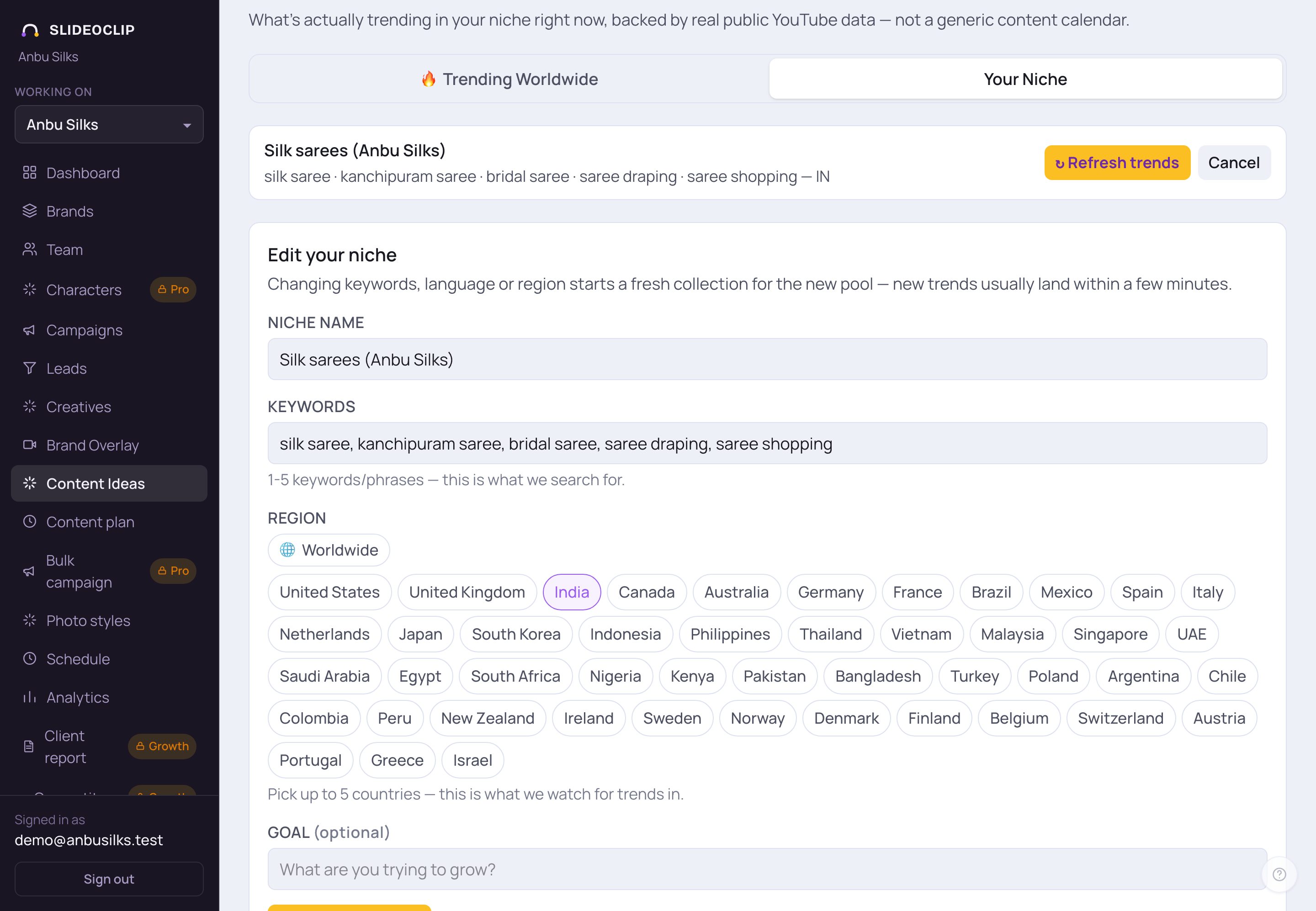
- 1Niche name: a short name, like Silk sarees.
- 2Keywords: 1 to 5 words or phrases, separated by commas. This is what we search YouTube for.
- 3Region: tick up to 5 countries, or tap 🌐 Worldwide for no country filter.
- 4Tap Save & re-collect to save and collect fresh trends, usually within a few minutes. Tap Cancel at the top to leave it as it is.
💡 The guide stops before Save & re-collect, so the niche isn't changed.
Good to know
- The worldwide list is free. Only Get content package uses credits, and the button shows how many.
- Pick ideas marked ↑↑ with low competition first: they are growing fast and fewer channels are making them.
- Use the best length on the card when you make the video.
- If Your Niche says it has limited data, use broader keywords, such as silk saree instead of a shop name.
Questions
Where do these trends come from?
From real public YouTube videos: their views, likes, comments and how fast they are growing. Each idea lists the real videos behind it.
How often do they update?
The worldwide list is refreshed every week. Your niche updates when you tap ↻ Refresh trends, or when you set up or edit the niche.
Will Create this copy someone else's video?
No. It starts an original video with a similar angle. You check and change the script before anything is made.
Can I have a niche for each client?
Yes. Pick the client under Which client is this for? when you set it up. The page shows the niche for the client picked in the top bar.